
Know what's happening in your estate. Fix small problems early.
Basementgrid puts every fault report, work order and payment in one place, so your council can see what's going on without chasing anyone. Small issues get fixed early, and every approval is on record.
One committee member can set this up in minutes — no AGM, no waiting on your MA, no full-council sign-off required to stop losing records today.

Why Councils Implement Basementgrid
See what's happening across the estate, and keep a record of it.
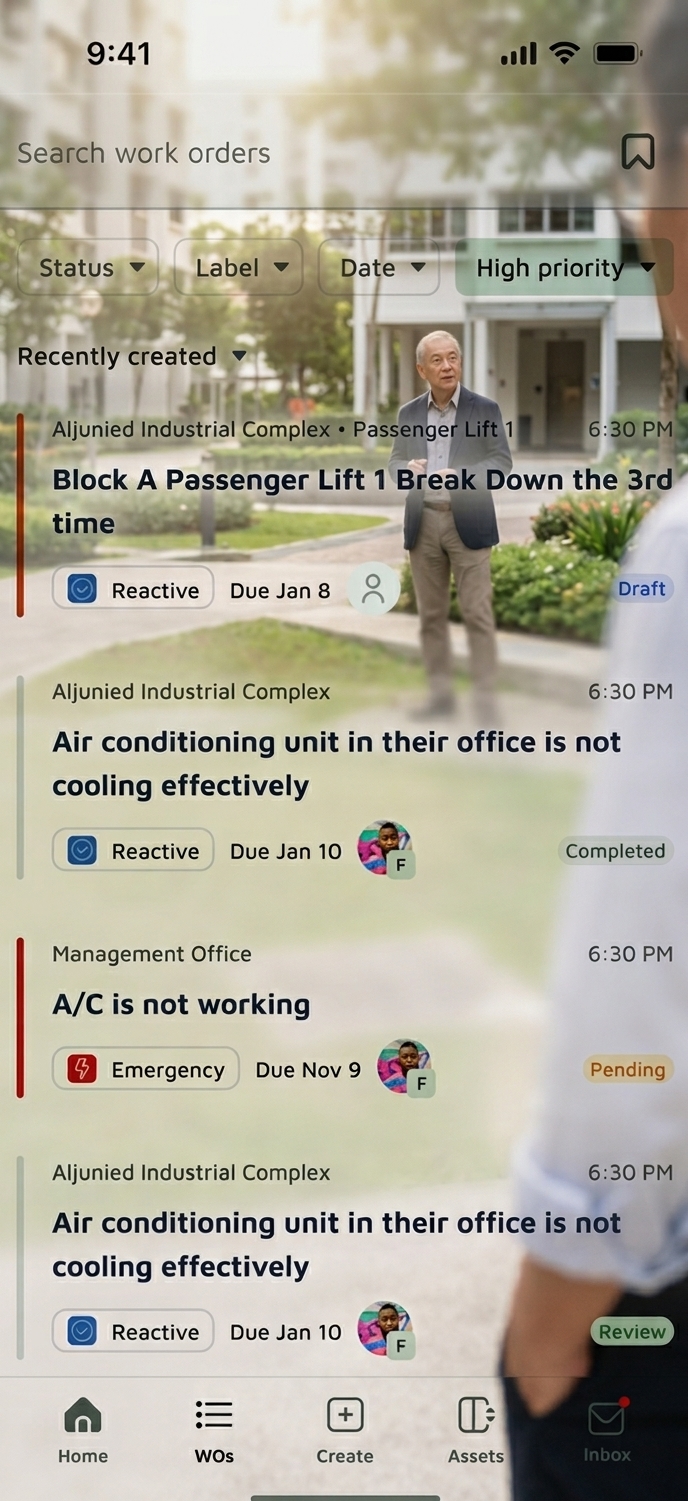

See what's happening
You hear about the leaking pipe or the faulty lift once it's already an expensive job.
Residents scan a QR code at the location to report a fault. It becomes a work order with an owner, a vendor and a status, so you can see what's open, what's stuck and what's been fixed without asking around.

Fix it while it's small
Repairs get put off until they turn into replacements, and nobody can say what the last one cost.
Every asset carries its service history, warranty dates and repair costs. You can see which lifts, pumps or fire systems keep coming back, and decide on repair versus replace with real numbers before the sinking fund takes the hit.

No More Taking Anyone's Word For It
Invoice sign-offs based on verbal claims and untracked paper work orders.
Every job is logged with a timestamped, GPS-verified photo before payment goes out. You approve based on proof, not a contractor's or Building Manager's word — eliminating phantom billing and disputed claims.

Data-Driven Financial Decisions
Sinking fund decisions and major repairs budgeted on rough estimates and memory.
Track asset health, repair-vs-replace ratios, and sinking fund allocations with verified historical data — protecting long-term estate value.
Tailored Control for Every Stakeholder in Your Estate

For Council Members
See what's open and what's overdue at a glance, approve spend with the proof and history in front of you, and settle AGM questions with a record instead of memory. Every approval is logged, so you're covered if one is questioned. You don't need to get hands-on with day-to-day maintenance.

For Managing Agents
Cut administrative overhead by 10+ hours a week. Eliminate paper work orders, streamline defect reporting, and manage vendor performance from a single dashboard.

For Onsite Vendors & Technicians
Zero complex forms or technical barriers. A simple, "uncle-proof" mobile interface—point, snap photo proof of completed work, and receive seamless PayNow disbursements.

100%
Approvals logged with a permanent audit trail

0
Unverified line items ever paid

100%
Data retention across MA transitions
Trusted Onsite




Frequently Asked Questions
Faults can be reported by anyone in the estate, including residents, the Building Manager and vendors, and each one becomes a tracked work order. Assets carry service and warranty dates, so upcoming and overdue items are visible. You see what's open and what's stuck, and you're only pinged when something needs your approval.
If the reminders are not live yet, drop the "upcoming and overdue" sentence for now.
Your data belongs to the MCST, not the agency. Basementgrid serves as the permanent digital foundation for your building. If you transition to a new Managing Agent, your maintenance history, warranties, and vendor records remain 100% intact and instantly accessible.
Yes. We prioritize radical simplicity. Onsite workers do not need formal training—the mobile flow is built like a simple camera tool. They open the job, snap a verified photo, and tap submit.
The platform enforces automated threshold approval rules. Any job quote or expenditure exceeding your council's custom limit triggers a mandatory approval request to designated council members, complete with historical asset cost data, before funds are disbursed.
Almost none. You're not expected to log in daily. Basementgrid notifies you only when something needs your approval — a spend above your council's threshold, for example — so you stay in control without becoming an unpaid operations manager.

Set Up Your Estate's Digital Foundation
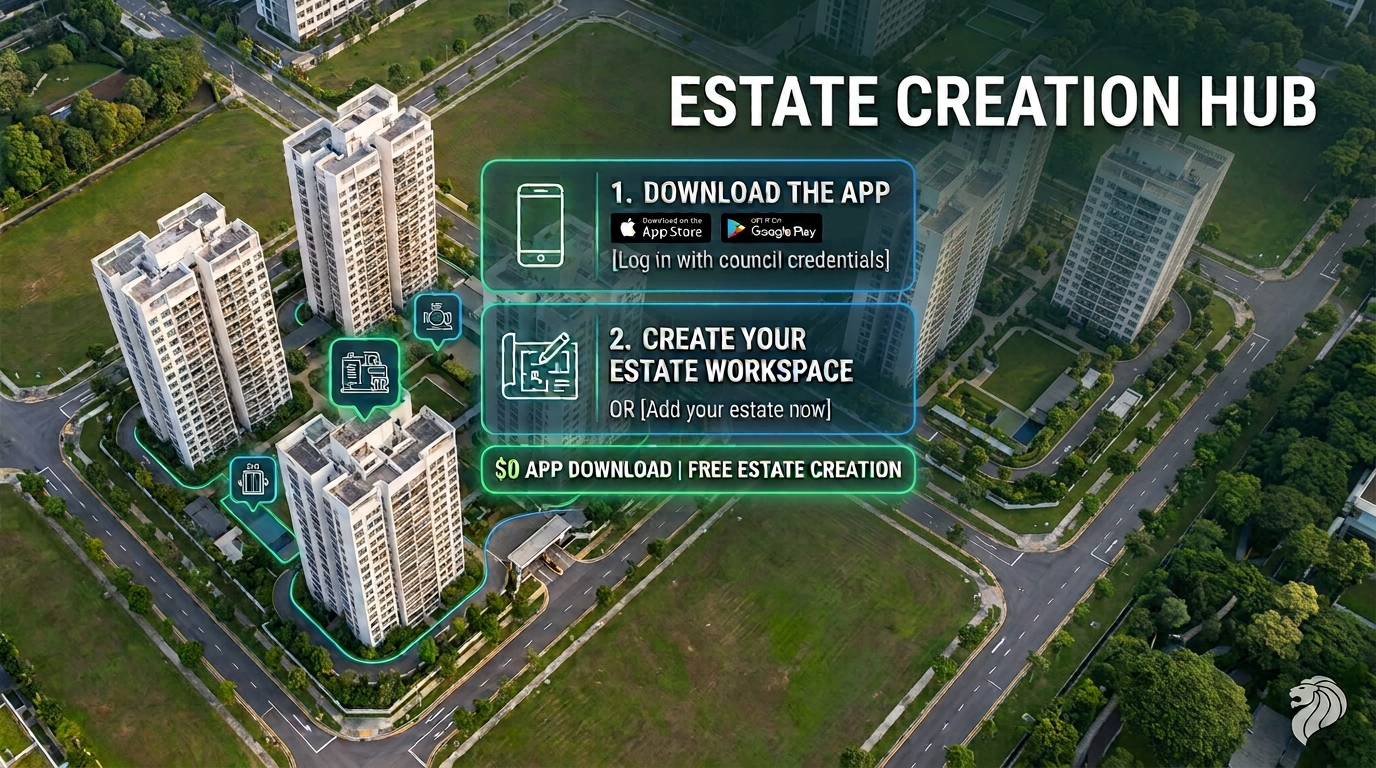
1. Download the App
Scan the QR code or tap to install on iOS or Android.
2. Create Your Estate or Accept an Invite
Whether you're the Managing Agent or a council member who wants better records, anyone can set up the workspace and invite the rest of the team — no need to wait on group consensus.
3. Configure Your Workspace
Set up asset records, spending approval thresholds, and council access — guided step by step.
5K+ downloads
See what's happening in your estate
Set up your estate in a few minutes, invite your Building Manager and vendors, and start seeing what's open, what's overdue and what's been paid for.




© 2026 Basementgrid Pte. Ltd. All rights reserved.